









The data layer
One source of customer data for every channel
Most tracking setups rebuild the same events for every channel; one pixel per platform, each measuring your store differently. Littledata captures browser and server events once, then delivers the same accurate data to every destination.
- One data layer - every channel sees the same events and revenue.
- Persistent ID - shoppers recognized up to a year later, every order tied to the right campaign.
- Custom events, no code - built from your first-party data.

Event Editor (Beta)
Customize your Shopify events without GTM
The Event Editor customizes the server-side events Littledata sends to Meta, Google Ads, GA4 and Klaviyo, using data from your Shopify apps and metafields. No code required.
- Meta ads for loyal buyers - optimize on VIP tiers.
- Lifetime value in GA4 - see which campaigns bring repeat buyers.
- High-value cart flows - Klaviyo recovery above your threshold.
Connect your marketing channels to Shopify
Eliminate the hassle of Google Tag Manager. Littledata maintains server-side conversion tracking between Shopify, Google, Meta, Klaviyo, and more, so your marketing can scale, automatically.
 Google Analytics
 Google Ads
 Meta Ads
 Klaviyo
 TikTok
 Segment
Acquisition
Make every ad dollar count with accurate conversions
Google and Meta's AI bidding is only as good as the conversions it learns from. Littledata streams complete, server-side conversions from Shopify, and Profit Signal adds gross profit, so campaigns bid for margin, not just order volume.
Soda Sense cut Google Ads CPA by 50% after switching to Littledata.

Retention
Reach the shoppers your flows are missing
Abandonment flows only fire for the shoppers your tracking can see. Littledata identifies more of them server-side and syncs complete Shopify event data into Klaviyo, so more flows trigger, and more revenue follows.
Wildgrain grew abandoned-checkout revenue 6× after connecting Shopify with Littledata.

Analytics
Track the full customer journey in Google Analytics
Default Shopify tracking leaves GA4 with missing orders and broken attribution. Littledata tracks the full funnel server-side, with every order attributed to the channel that earned it.
Grind Coffee scaled 50× once their Shopify and GA4 data finally matched.
Server-side tracking
Accurate Shopify data, never blocked
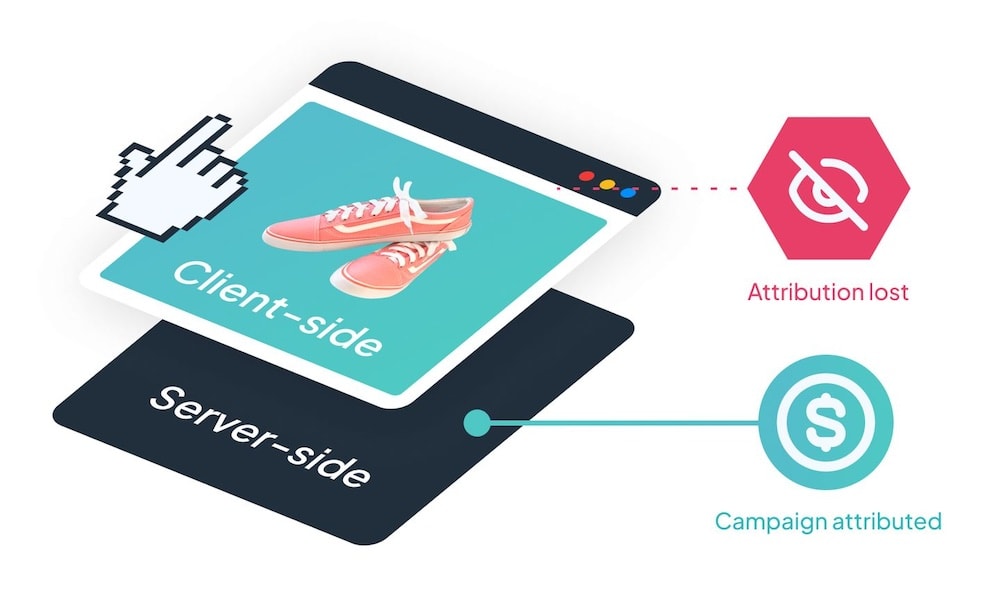
Ad blockers, iOS privacy settings, and accelerated checkouts hide 30% of your orders from browser pixels. As a result, every channel underreports, and optimizes with a partial view.
Littledata tracks every purchase server-side from Shopify, so conversions reach Google and Meta whatever the shopper's browser.


Our customers love accurate tracking and expert Shopify support
View More ReviewsBuilt on the data layer
Set it once, improve every channel
Because every destination reads from the same data layer, each feature you turn on upgrades GA4, Google Ads, Meta, and Klaviyo together.
Profit Signal
Send gross profit alongside order value, so ad platforms optimize on margin, not just volume - no ERP integration required.
Persistent ID
Recognize returning shoppers for up to a year after cookies expire - fixing attribution, retargeting, and abandonment flows.
Event Editor
Build custom events from your Shopify apps and metafields, and shape the conversions each platform optimizes for.
Bot Protection
Filter bot-generated events at the source, before they distort your reports or poison your ad audiences.
Supports all Shopify features
From Checkout Extensibility to Headless storefronts, Littledata works out of the box with Shopify’s latest architecture. Spend less time fixing integrations, and more time using accurate data across your marketing channels.
 Checkout
 Headless
 Subscription
 Consent Mode
 Shopify Markets
 Built for Shopify
How it works
Connect
Install the Shopify app and connect your channels. Server-side tracking is live in about 10 minutes, with no GTM and no code.
Customize
Open the Event Editor and build the events your business needs from your Shopify apps, metafields, and customer data. Define what a valuable conversion looks like for your brand.
Activate
Every custom event flows automatically to GA4, Google Ads, Meta, and Klaviyo. Turn on Profit Signal, Persistent ID, and Bot Protection and they upgrade every channel at once.
Frequently asked questions
Your Shopify data is more valuable than your current tracking shows.
Start a free trial and see how much revenue your setup is missing, then build the custom events that let every channel act on your best signals.
